
A healthcare website needs to do more than simply look professional.
For clinics, pharmacies, dental practices and other healthcare providers, the website is often one of the first places a patient goes to understand a service, assess whether they trust the provider and decide what to do next.
A strong healthcare website should make that journey clear, accessible and straightforward.
This guide explains the key elements a modern healthcare website should include and why each one matters.
Although the service model varies, the same foundations apply to pharmacy website design, private clinic website design and dental website design across the UK.
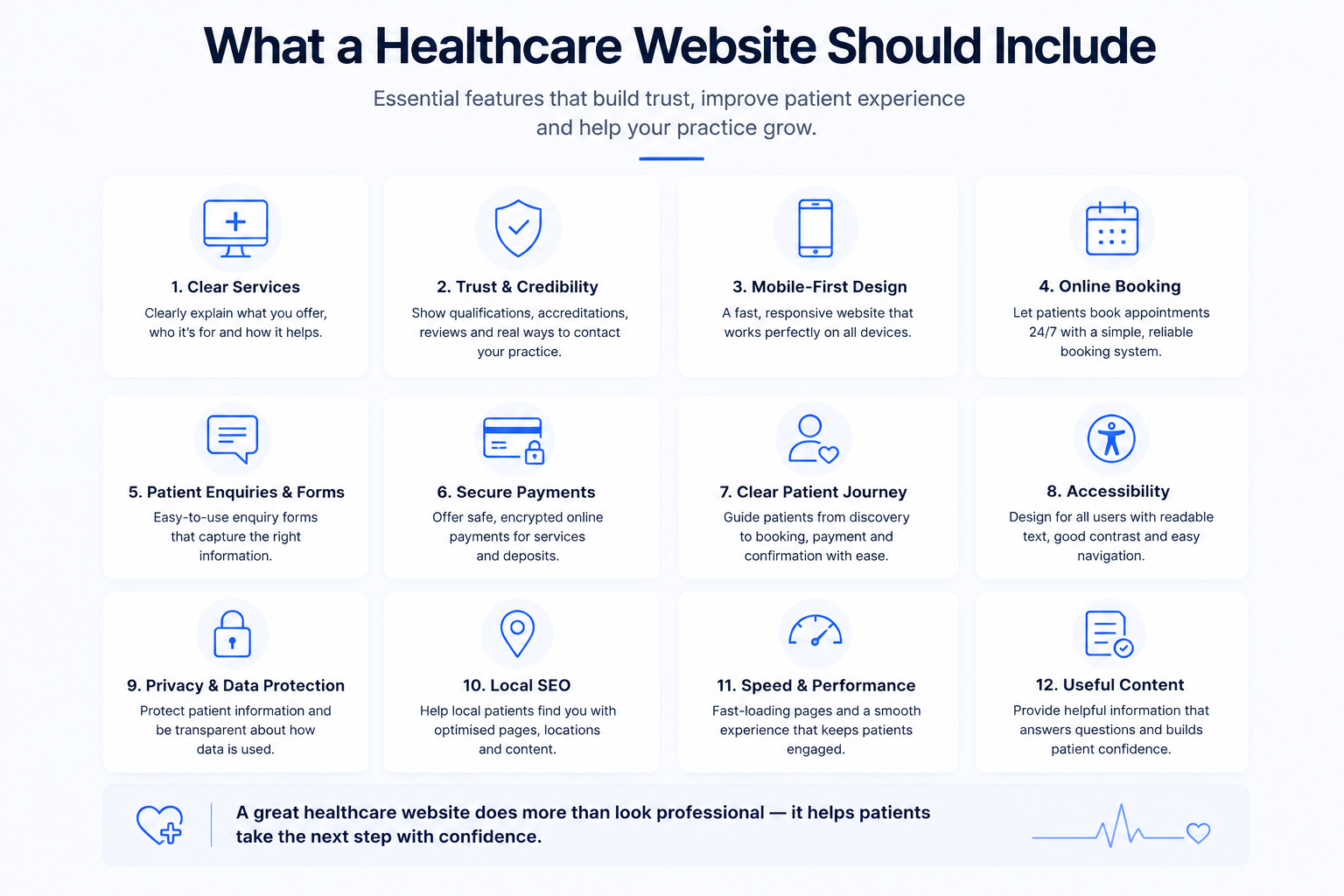
1. Clear Service Information
Patients should be able to quickly understand:
- what services are available
- who each service is suitable for
- what the service involves
- what the next step is
- pricing where appropriate
- preparation or eligibility information where relevant
Avoid forcing patients to contact the practice simply to understand basic service information.
Clear service pages improve both user experience and search visibility.
Planning the wider investment as well as the content? Read How Much Does a Website Cost in the UK? and review AL Digital pricing.
2. Trust and Credibility
Healthcare decisions depend heavily on trust.
A healthcare website should clearly communicate who is providing the service and why patients should feel confident choosing the organisation.
Useful trust signals may include:
- clinician or team information
- professional qualifications
- relevant registrations or accreditations
- transparent contact details
- clear policies
- genuine reviews where appropriate
- professional and consistent presentation
Trust should be built throughout the website rather than being confined to a single About page.
3. Mobile-First Design
Many patients will discover and access healthcare websites from a mobile phone.
The mobile experience should therefore be treated as a priority rather than an afterthought.
Important considerations include:
- readable typography
- simple navigation
- clearly visible calls to action
- responsive service pages
- easy-to-complete forms
- fast page loading
- booking journeys that work properly on smaller screens
A website that works well on desktop but becomes difficult to use on mobile can create unnecessary friction at the most important stage of the patient journey.
4. Online Booking
Where appropriate, online booking can make it significantly easier for patients to take action.
A good healthcare booking journey should allow patients to clearly understand:
An effective healthcare booking system should reduce uncertainty, not add another layer of friction.
- which service they are booking
- available appointment times
- relevant practitioner or location options
- what information is required
- whether payment or a deposit is needed
- what happens after booking
Avoid routing every service through one generic booking or enquiry process if different services have different requirements.
5. Patient Enquiries and Forms
Forms should make it easy for patients to provide the information needed to progress their enquiry.
Depending on the service, this might include:
- contact details
- service selection
- appointment preferences
- relevant background information
- consent
- additional information required before booking
Forms should be proportionate.
Collect only the information genuinely required for that stage of the journey and avoid making the process unnecessarily long.
6. Secure Online Payments
For private healthcare services, online payments can form an important part of the customer journey.
Depending on the business, this might include:
- appointment deposits
- full service payments
- consultation fees
- treatment payments
- refunds
- payment confirmation
The payment process should feel secure, simple and connected to the booking or enquiry journey rather than appearing as a separate disconnected step.
7. A Clear Patient Journey
One of the most important elements of healthcare website design is making the next step obvious.
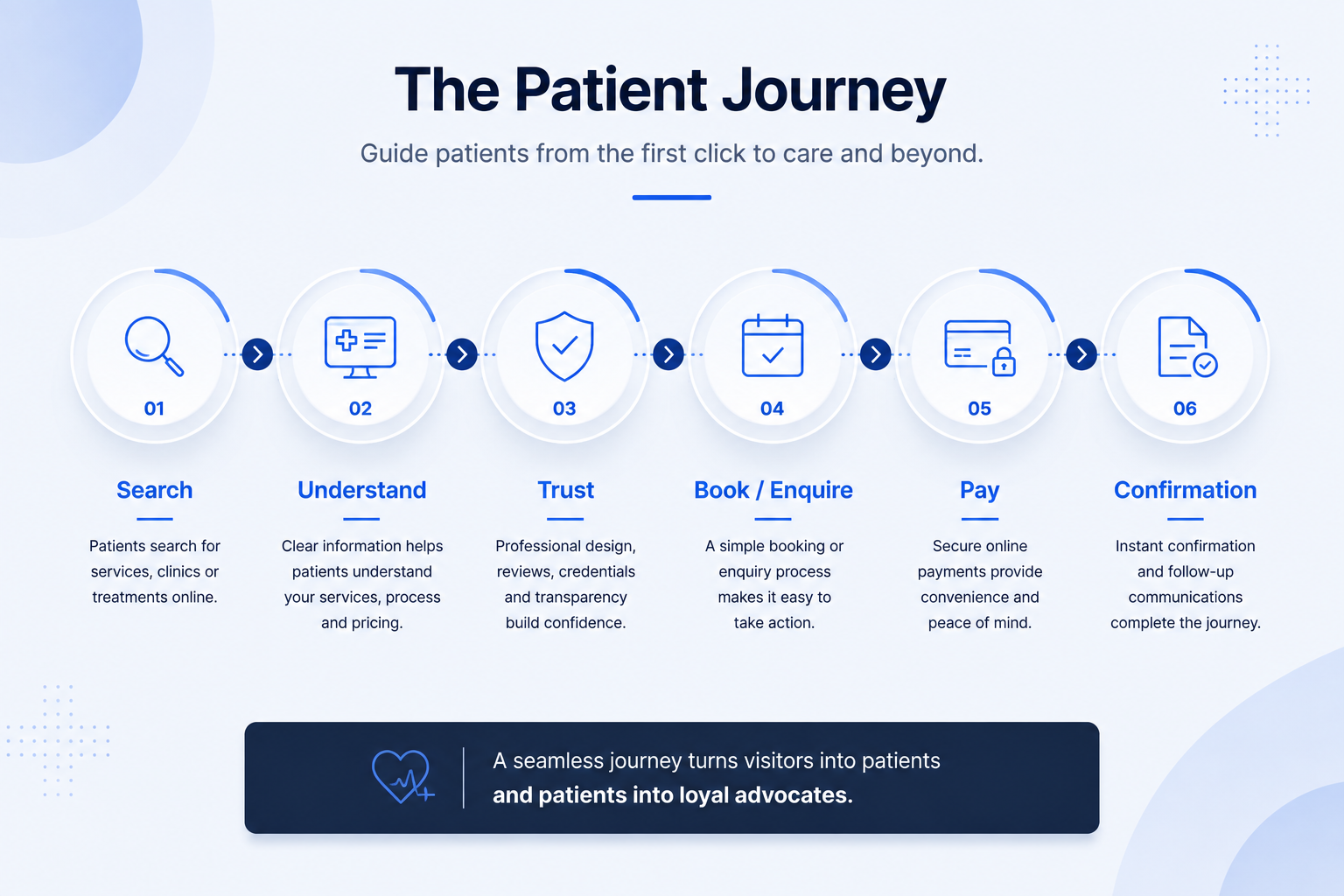
A typical journey may look like:
Search → Understand → Trust → Book / Enquire → Pay → Confirmation
Each stage should naturally lead into the next.
The website should help patients move through this journey without having to guess what to do.
8. Accessibility
Healthcare websites should be usable by as many people as reasonably possible.
Important accessibility considerations include:
- readable font sizes
- sufficient colour contrast
- logical heading structure
- descriptive links
- clear navigation
- keyboard-friendly interaction
- meaningful image alt text
- accessible forms
- clear error messages
Accessibility should be considered during the design process rather than added afterwards.
9. Privacy and Data Protection
Healthcare businesses frequently handle personal information through websites, forms, booking systems and third-party platforms.
A healthcare website should clearly explain how information is used and ensure appropriate privacy information is available.
Forms and digital systems should also be configured carefully when collecting personal information.
Important: This section is informational only and should not be treated as legal advice.
10. Local SEO and Search Visibility
A strong healthcare website should also make it easy for potential patients to discover the business through search engines.
Useful foundations include:
- clear service pages
- accurate page titles and descriptions
- location information
- descriptive headings
- useful content
- internal linking
- logical website structure
- accurate contact details
- pages that can be properly indexed by search engines
Healthcare providers serving specific areas may also benefit from clearly communicating where their services are available.
11. Speed and Technical Performance
Website performance directly affects the user experience.
Healthcare websites should aim to provide:
- fast-loading pages
- compressed and optimised images
- secure HTTPS connections
- reliable hosting
- functioning forms
- working booking journeys
- responsive layouts
- minimal unnecessary technical clutter
Technical problems should not stand between a patient and the service they are trying to access.
12. Useful Patient-Focused Content
Useful content can help answer patient questions before they contact the organisation.
Depending on the healthcare business, this might include:
- service explanations
- preparation guidance
- frequently asked questions
- pricing information
- treatment or consultation processes
- what patients should expect
- location and access information
Content should be clear, accurate and written for the patient rather than purely for search engines.
Common Healthcare Website Mistakes
Common problems include:
- unclear calls to action
- generic contact pathways for every service
- poor mobile usability
- overly complicated forms
- broken enquiry or booking functionality
- unclear service information
- hidden pricing where pricing could reasonably be provided
- excessive technical or clinical jargon
- outdated information
- hard-to-find contact details
- disconnected booking and payment systems
- slow-loading pages
A healthcare website does not need to be complicated.
It needs to make the patient journey easier.
Healthcare Website Checklist
Before launching or redesigning a healthcare website, check whether patients can easily:
- understand what services are offered
- identify who provides the service
- find important trust information
- use the website comfortably on mobile
- book or enquire online where appropriate
- complete forms without unnecessary friction
- make payments securely where required
- understand what happens next
- access privacy information
- navigate the website clearly
- find the business through search
- access useful service information quickly
If several of these steps are difficult, the website may be creating unnecessary barriers for prospective patients.

Build Around the Patient Journey
The strongest healthcare websites are designed around what patients actually need to do.
That usually means combining:
Clear information → Trust → Booking → Forms → Payments → Confirmation
Rather than treating each element as a separate feature, they should work together as one connected digital journey.
Improving your healthcare website?
AL Digital builds connected digital experiences for healthcare businesses, including websites, booking journeys, patient enquiries, payments and automation.
Explore Healthcare Digital Solutions Get a Free Quote